
How to track website traffic from ChatGPT, Gemini and Perplexity
Traffic from AI assistants often gets lost in analytics. Three ways to catch it: Yandex Metrica, Yandex Webmaster and GA4, with ready-made regular expressions.
AI assistants have become a new source of traffic: people increasingly get answers from ChatGPT, Perplexity, Qwen, Gemini and other AI services, then click through to websites from the links in those answers.
The problem is that this traffic often gets "lost" in analytics: the referrer may not be recorded, sources show up incorrectly, and some visits come through in-app browsers, redirects and apps.
Here are three ways to track it:
- Yandex Metrica: referrers and UTM tags;
- Yandex Webmaster: AI answers and Alice;
- Google Analytics 4: an Explore report with regular expressions.
If the video above doesn't load for you, here it is on VK:
Why track traffic from AI
It's not just "one more channel". This traffic often:
- arrives with strong intent: the person already has an answer and is looking for a specific solution;
- converts well if you have a clear landing page;
- grows year on year and will keep growing;
- shows which of your pages the AI tools actually cite.
If you're an SEO specialist, marketer or site owner, it makes sense to measure this channel separately so you know what works.
Method 1. Yandex Metrica: referrers
The simplest option is to look at which sites send you visitors. Open Metrica → Reports → Popular → Sites.
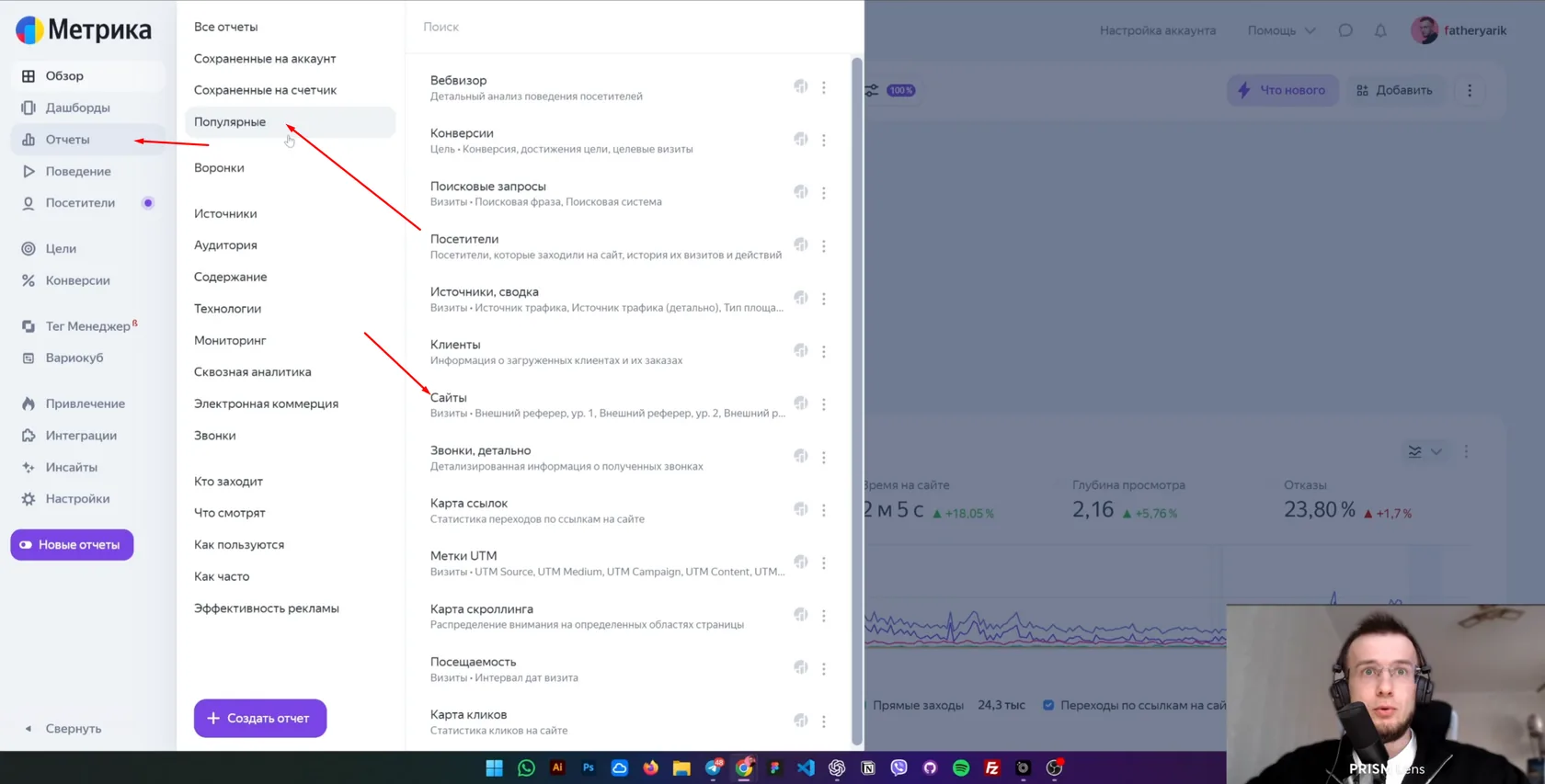
You'll see the list of domains that send traffic: search engines, social networks, directories and other sites.
Filtering for AI tools
Instead of searching by hand, add a filter on "External referrer" with a regular expression:
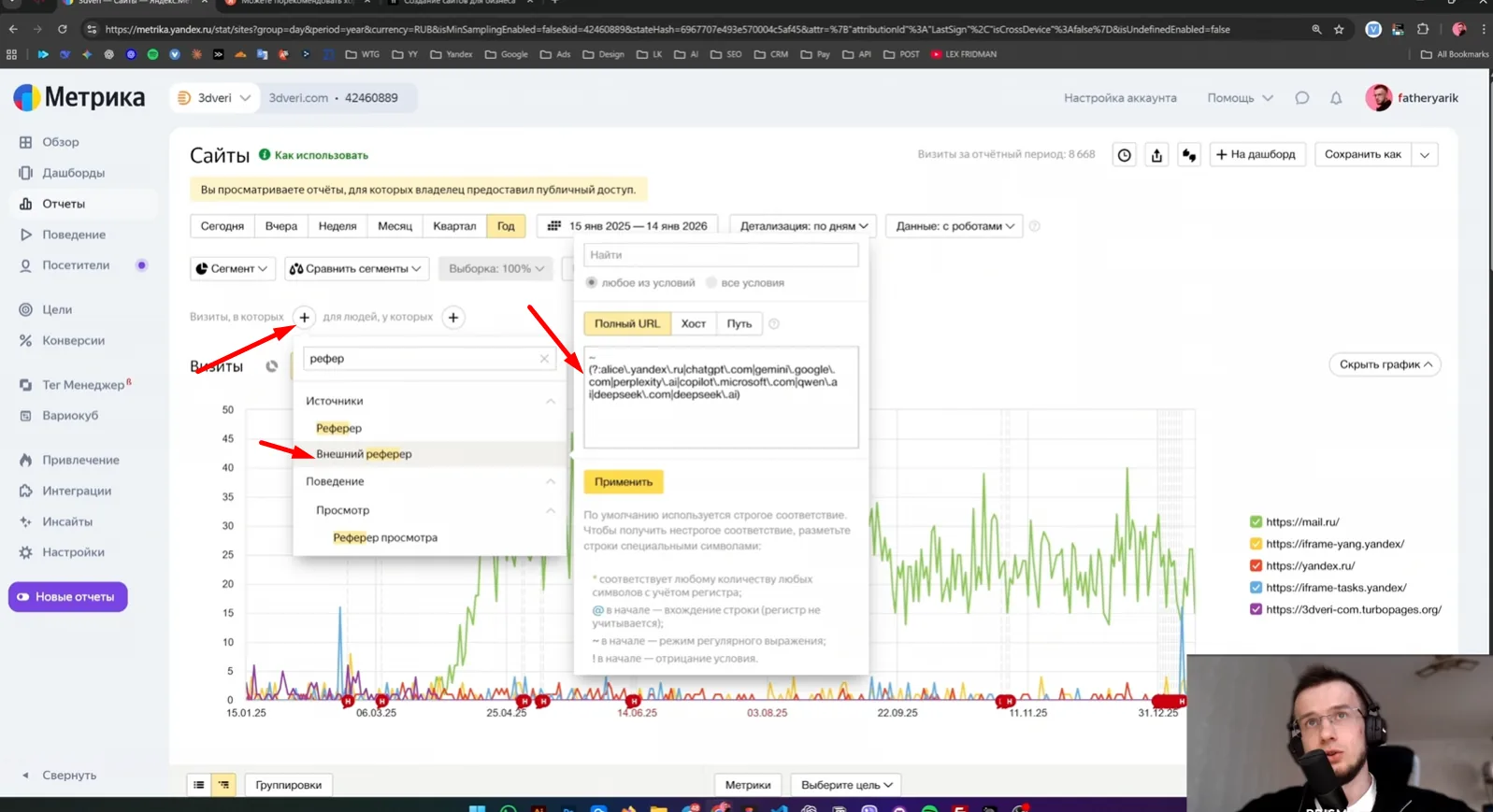
~(?:alice\.yandex\.ru|chatgpt\.com|gemini\.google\.com|perplexity\.ai|copilot\.microsoft\.com|qwen\.ai|deepseek\.com|deepseek\.ai)
Metrica will then show only visits from those sources. You can extend the list with any new domains you spot in your stats.
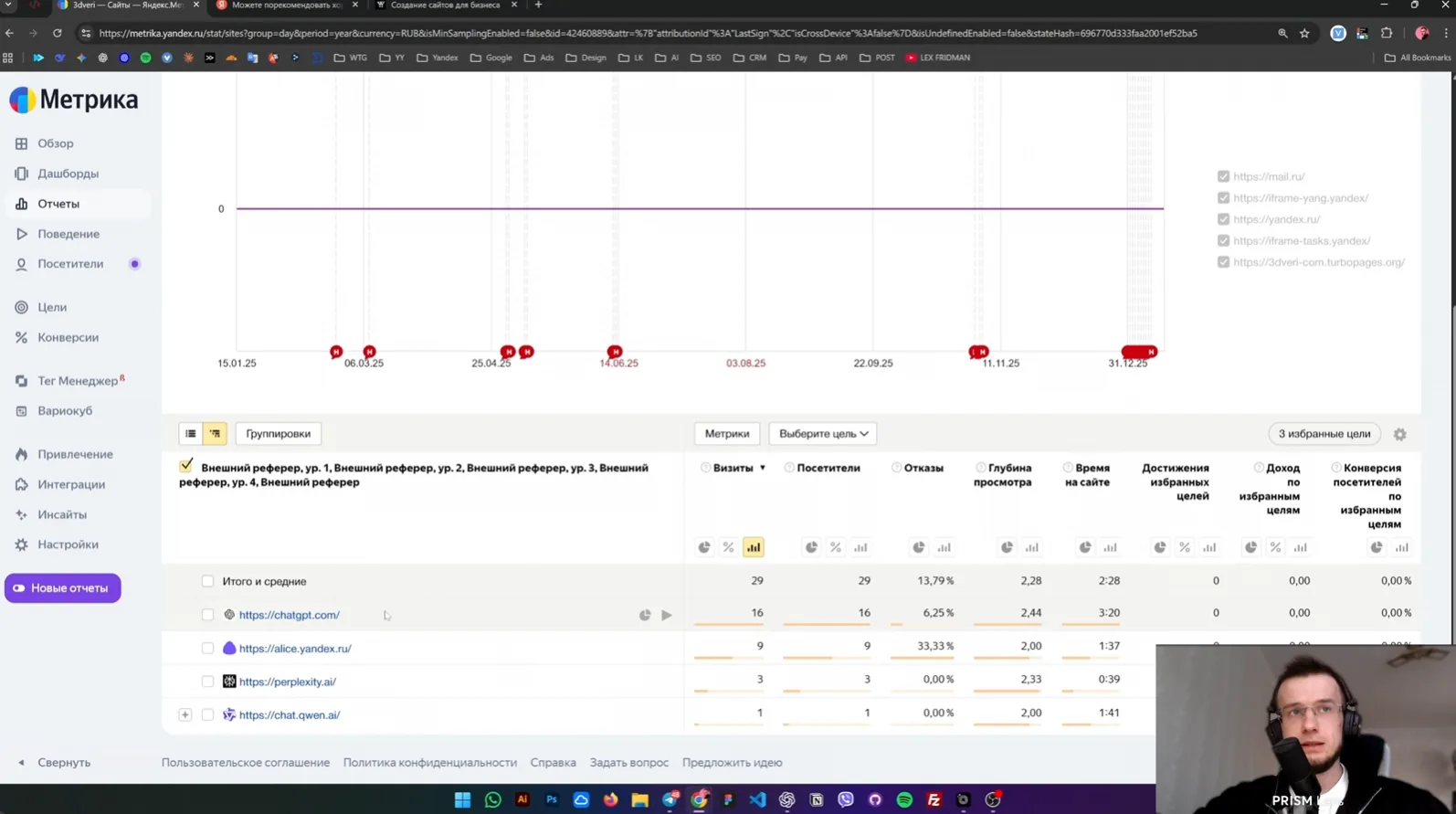
Why the referrer is sometimes empty (and that's normal)
A common situation: you're sure someone came from ChatGPT, but Metrica shows an empty or odd referrer. The usual reasons:
- the click came from an app with a built-in browser;
- it went through redirects;
- some sources are stripped by privacy settings;
- UTM tags override the source;
- it passed through an intermediate page.
That's why you can't rely on referrers alone.
Backing it up with UTM tags
To get more data, use links with UTM tags, for example:
https://site.com/page?utm_source=chatgpt
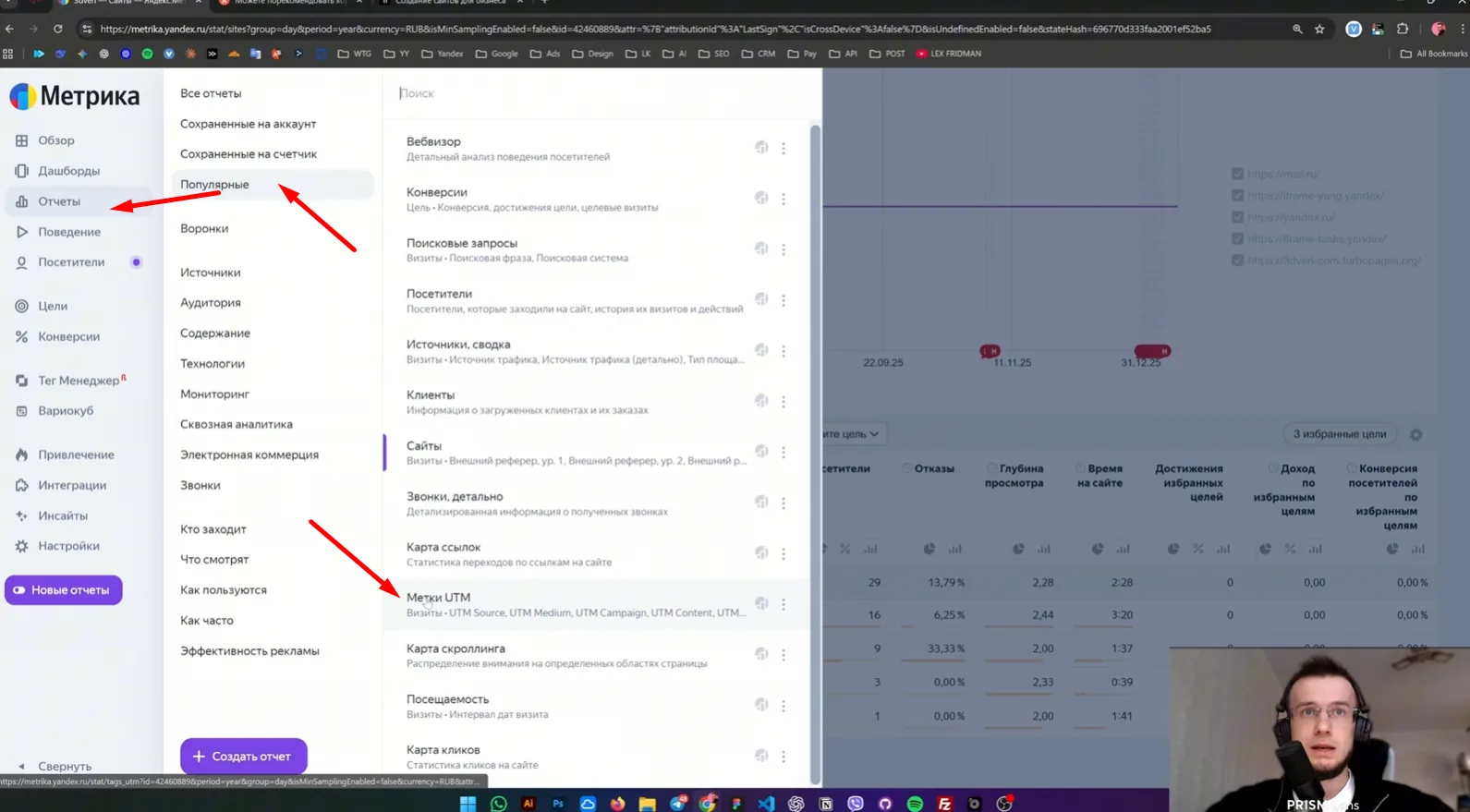
The easiest place to see them is Reports → Sources → UTM tags. Filter by UTM source with a regular expression or look up each tag separately:
~.*(alice\.yandex|chatgpt|gemini\.google|perplexity|copilot\.microsoft|qwen).*
Method 2. Yandex Webmaster: AI answers and Alice
If your site appears in Yandex, some traffic may come from AI answers, the Alice assistant and rich answers with links. You can see this in Webmaster: Yandex Webmaster → External links.
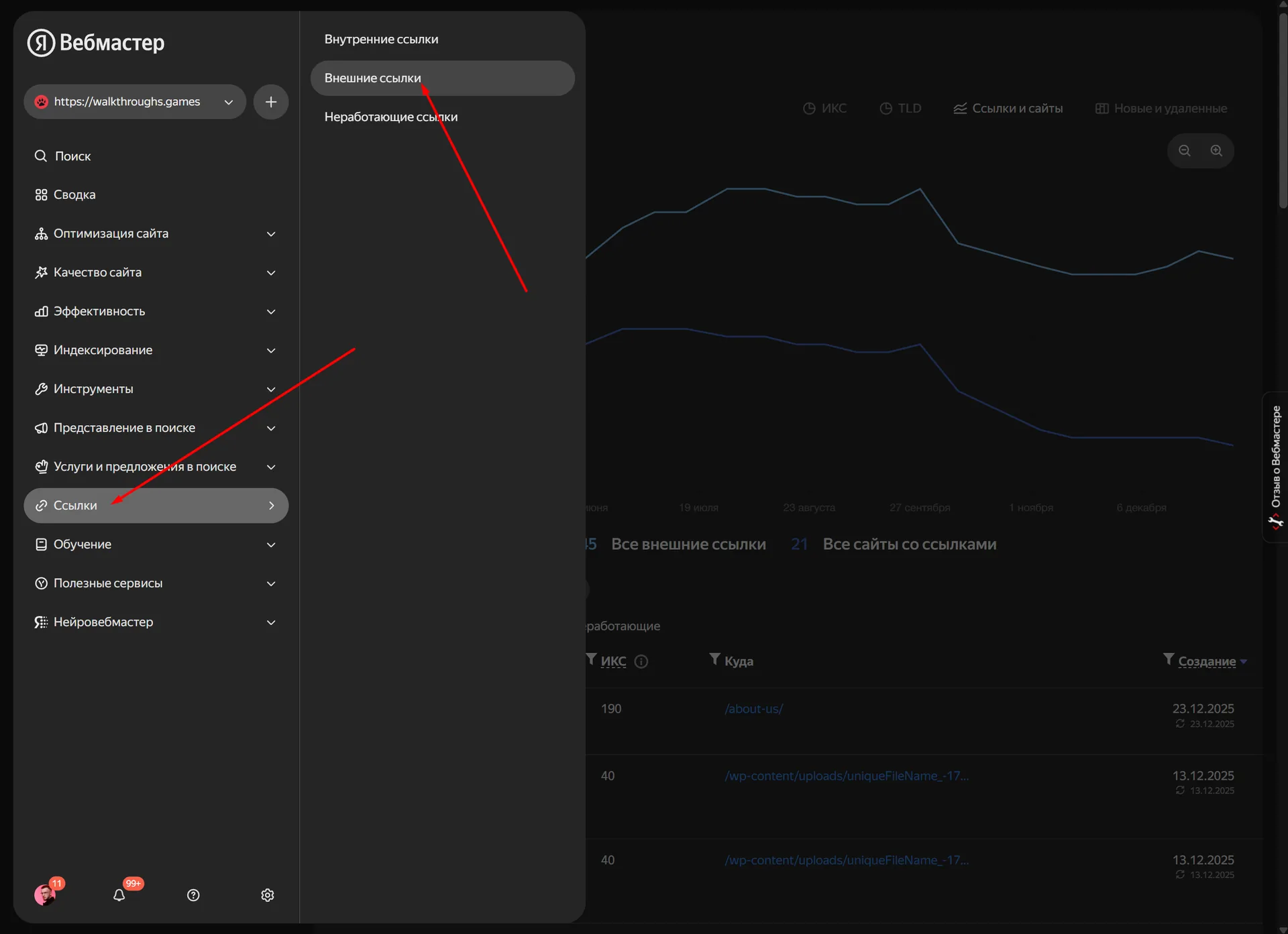
To see query stats from Alice, type this into the filter:
neurum
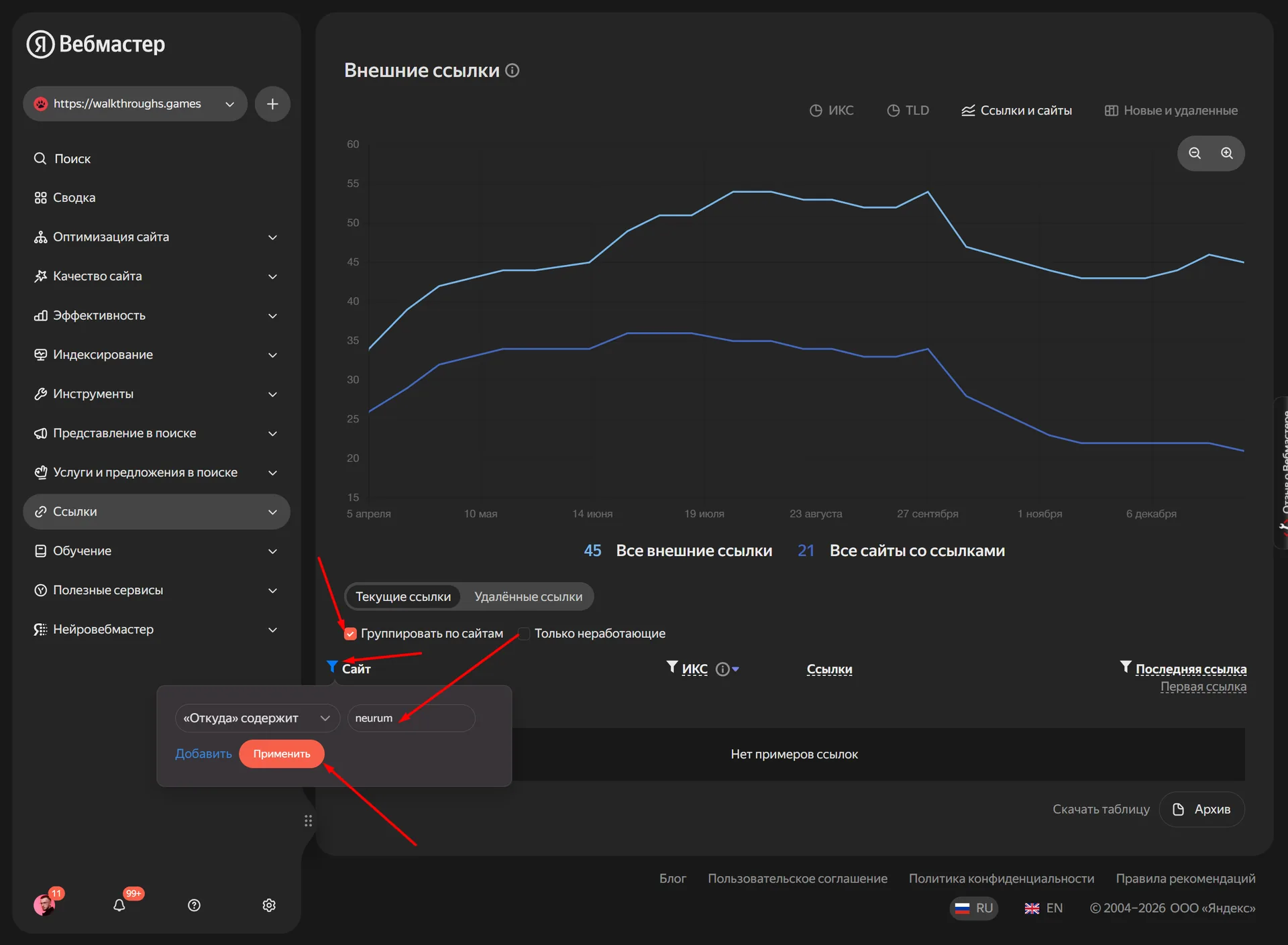
This tells you:
- which pages Yandex pulls into its answers;
- for which queries that happens;
- which topics are worth strengthening with content.
Method 3. Google Analytics 4: an Explore report
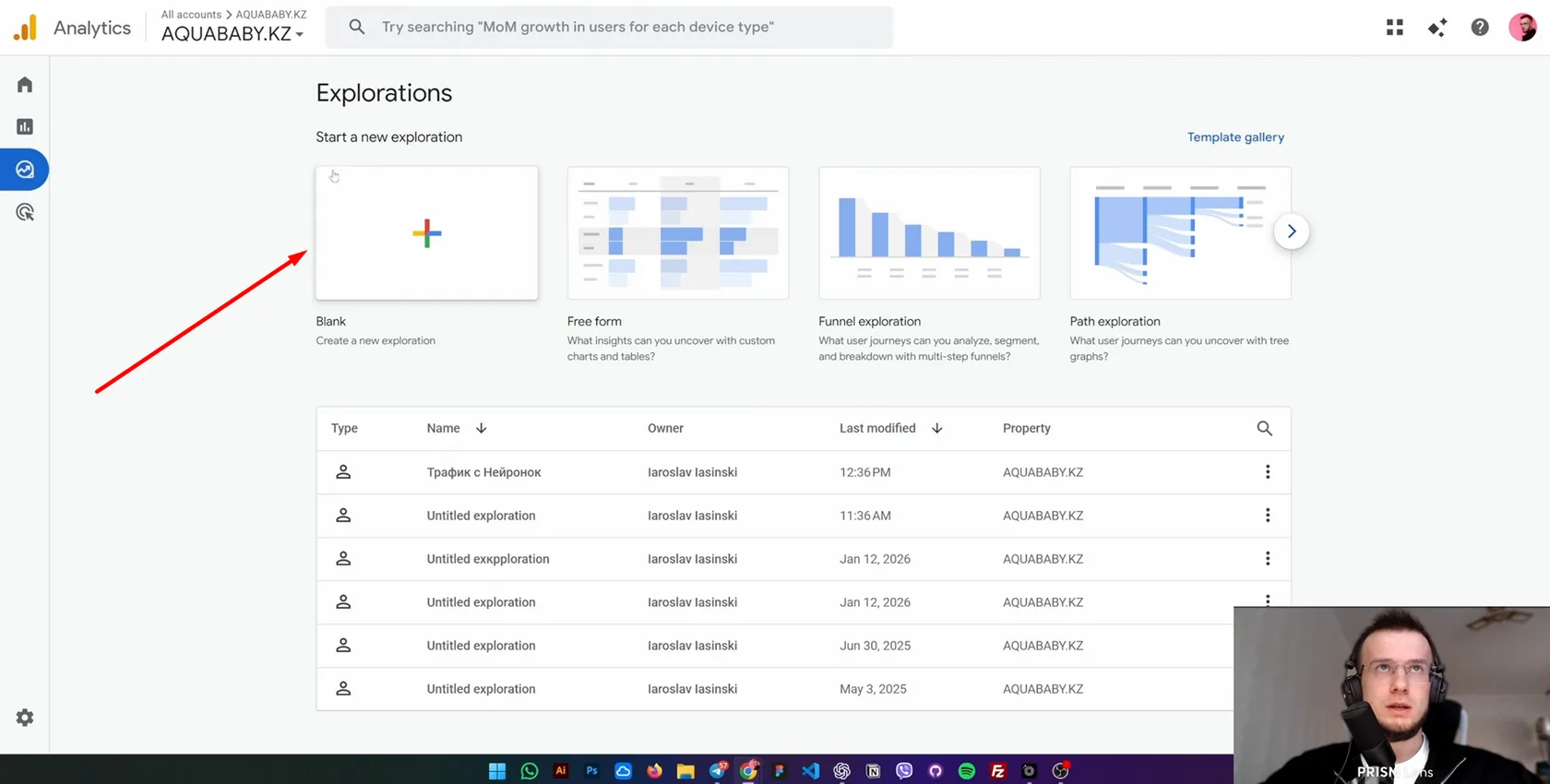
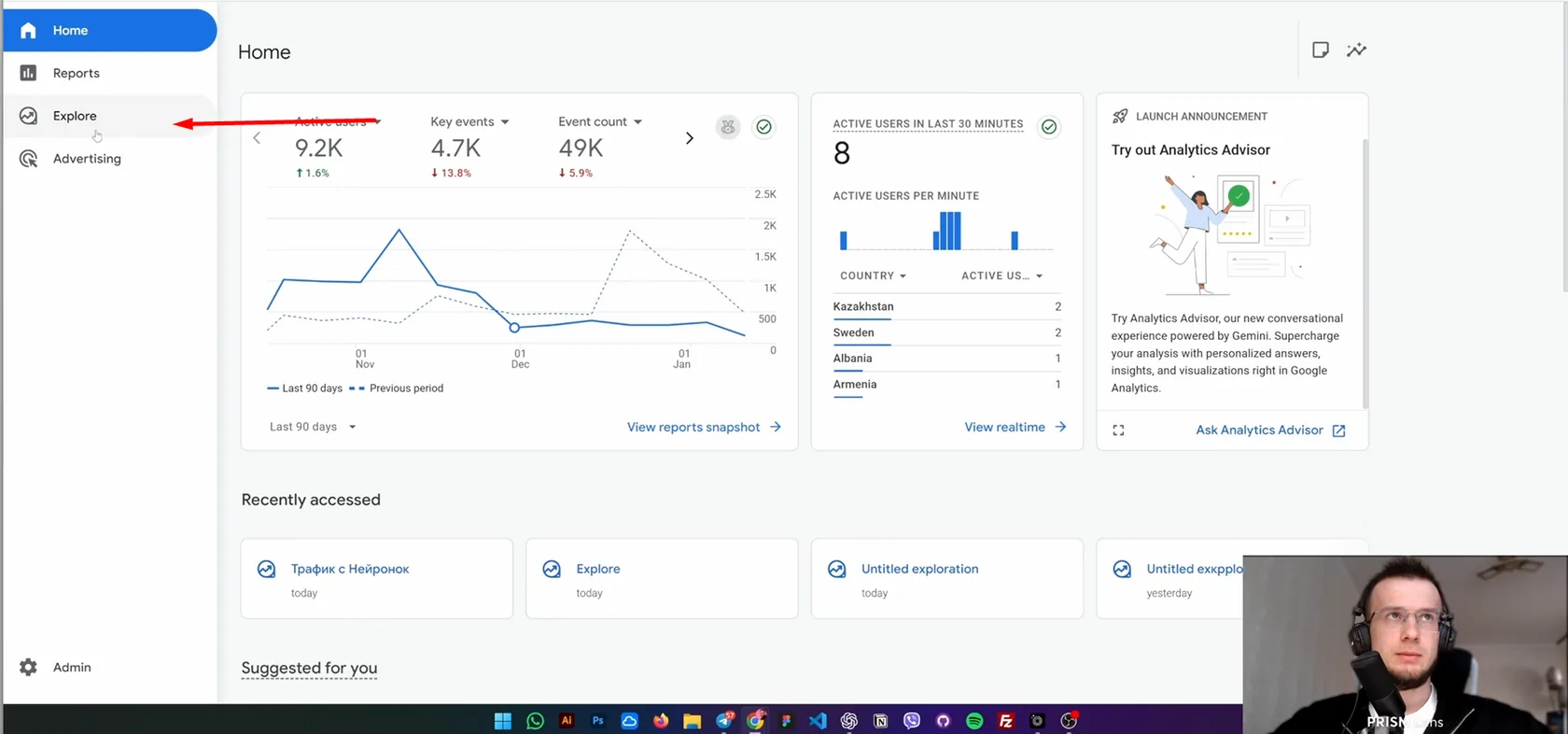
GA4 is often more flexible than Metrica, especially when you need a table for a client. Open GA4 → Explore → Blank and build a report from scratch.
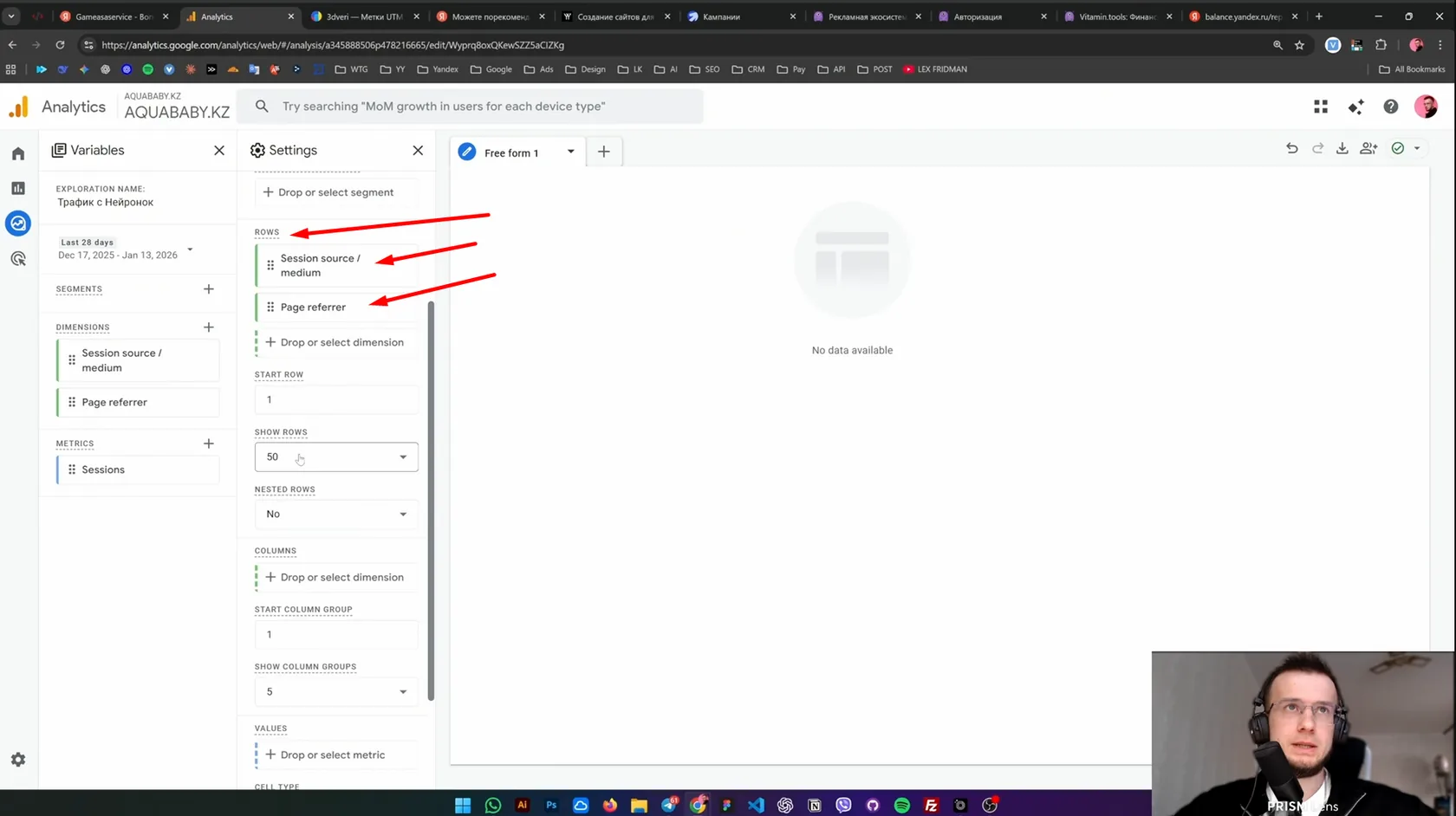
Dimensions
To see AI traffic as completely as possible, add two dimensions:
- Session source / medium, the source of the session;
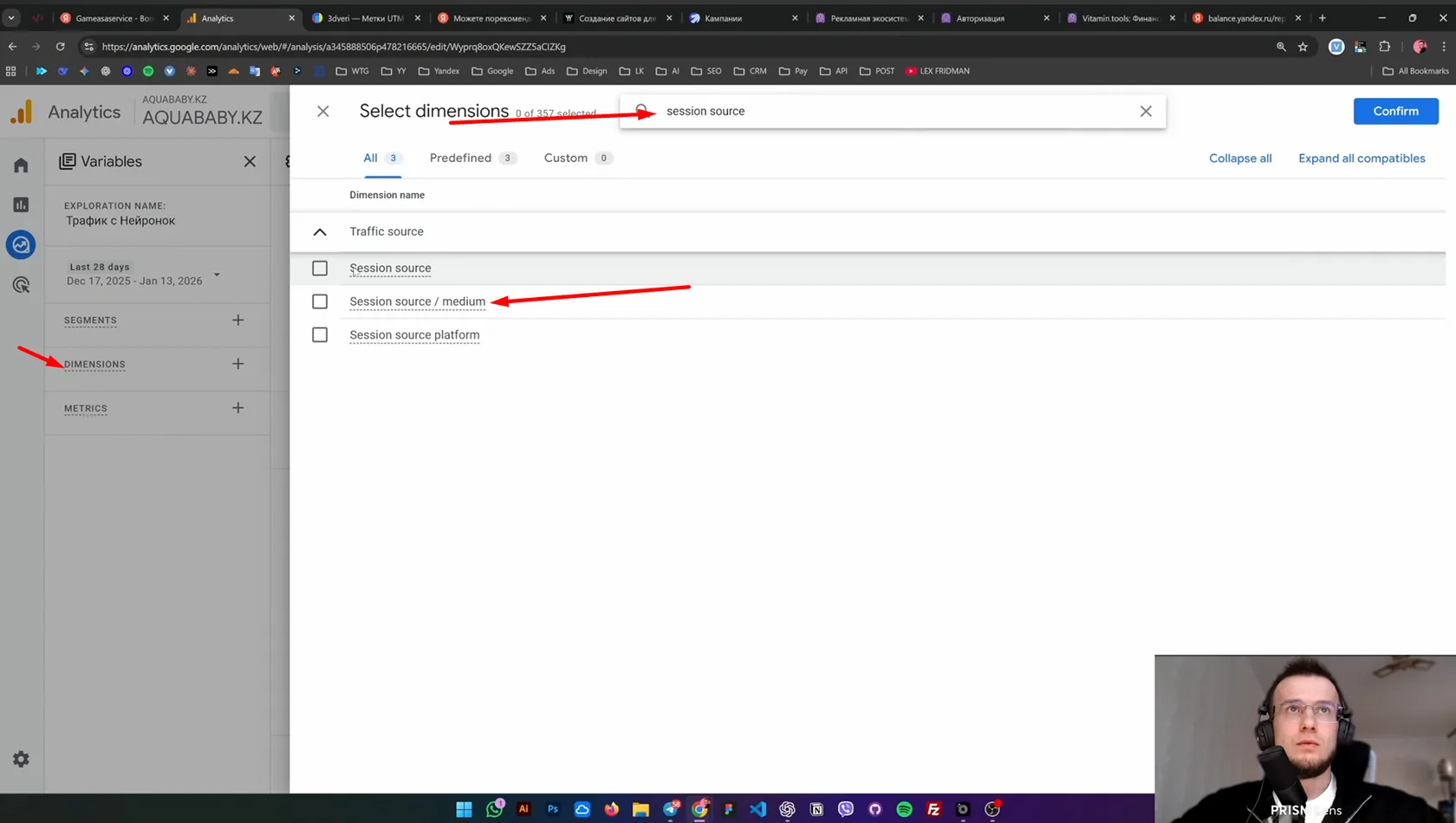
- Page referrer, where the user came from.
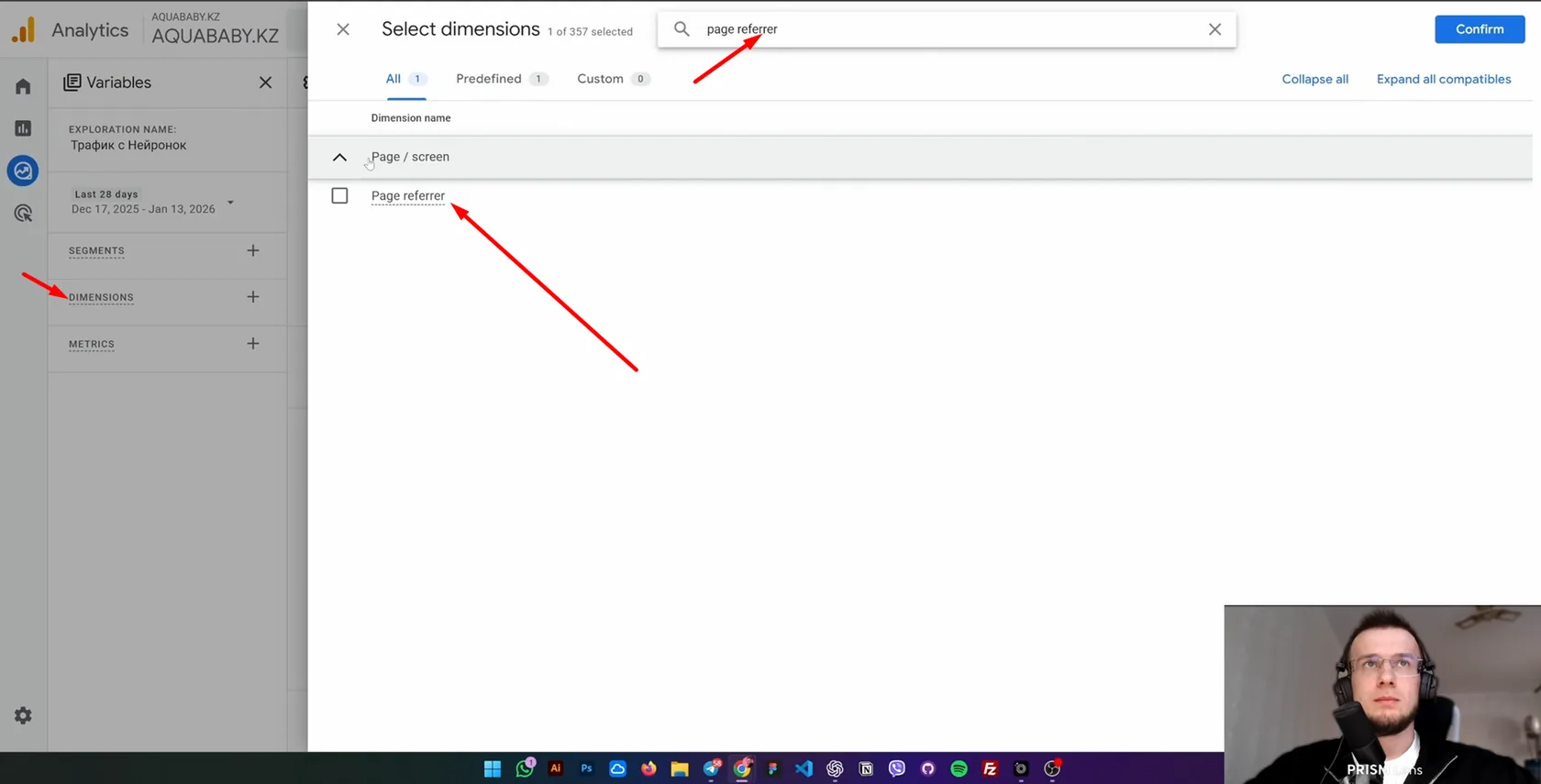
Sometimes source/medium says one thing and page referrer another; only together do they give the full picture.
Metrics
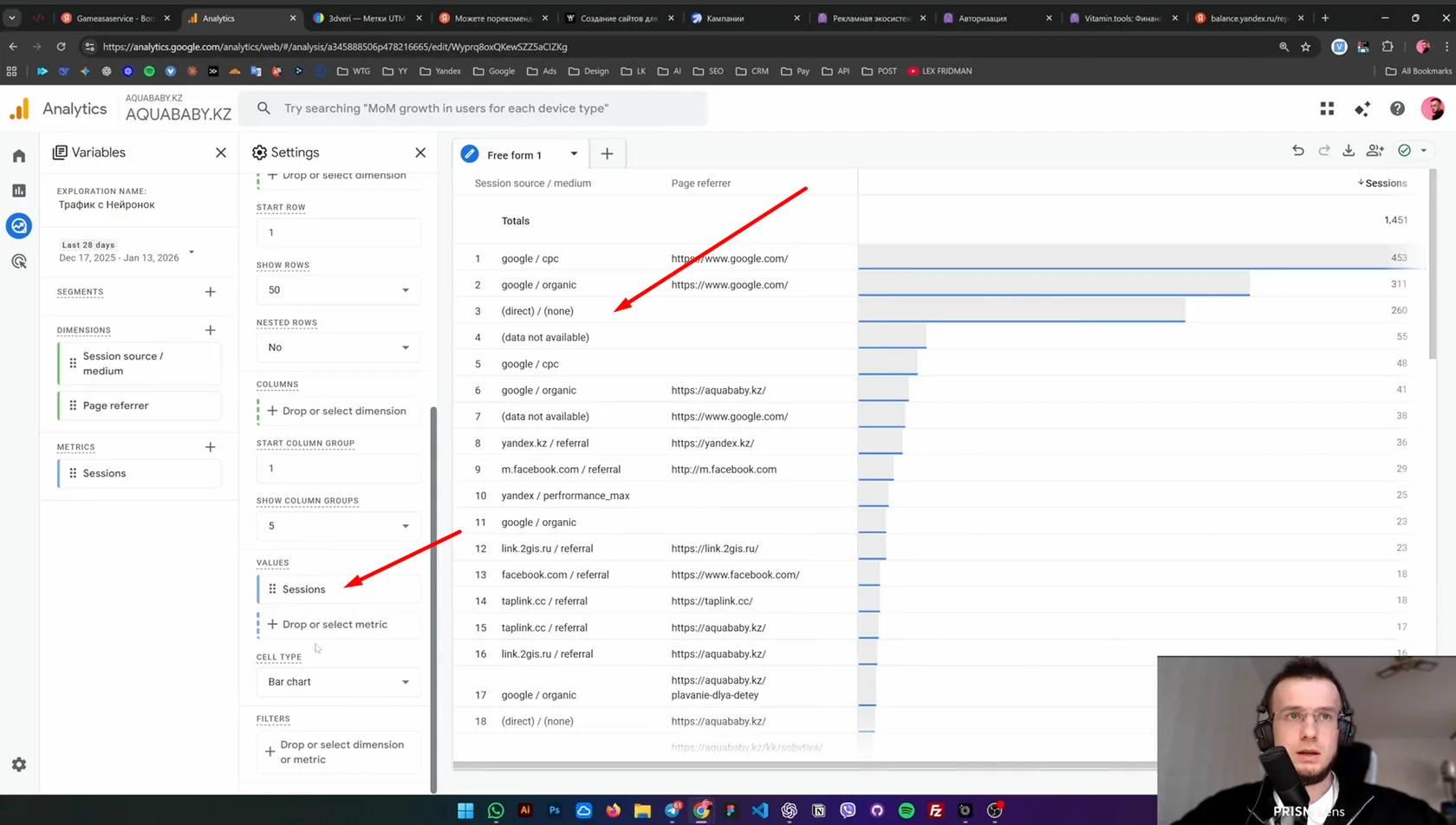
At a minimum you need Sessions. You can add Users, Engagement rate and Conversions, but for basic AI tracking sessions are usually enough.
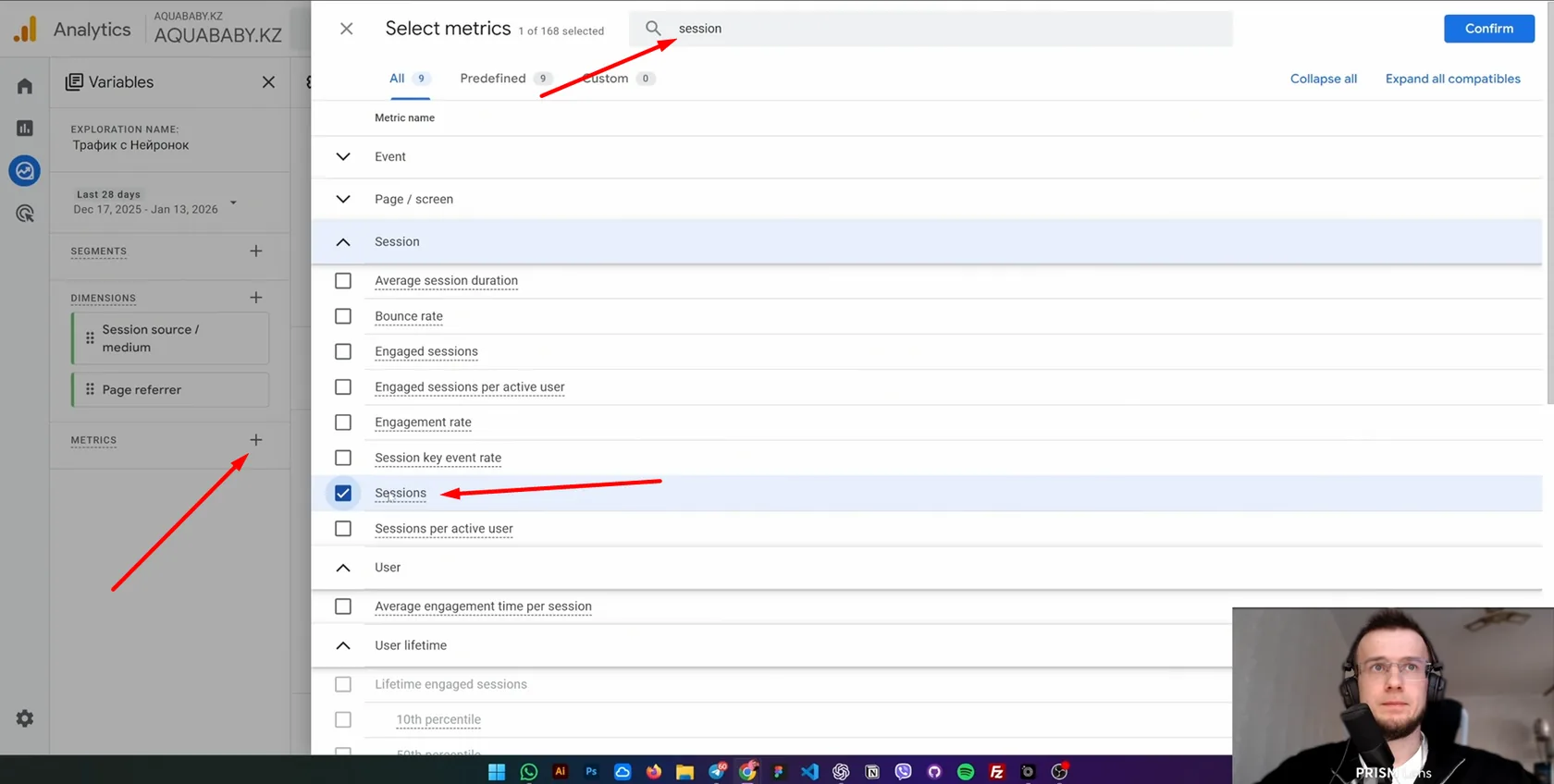
Building the table
In Rows, pick Session source / medium and Page referrer:
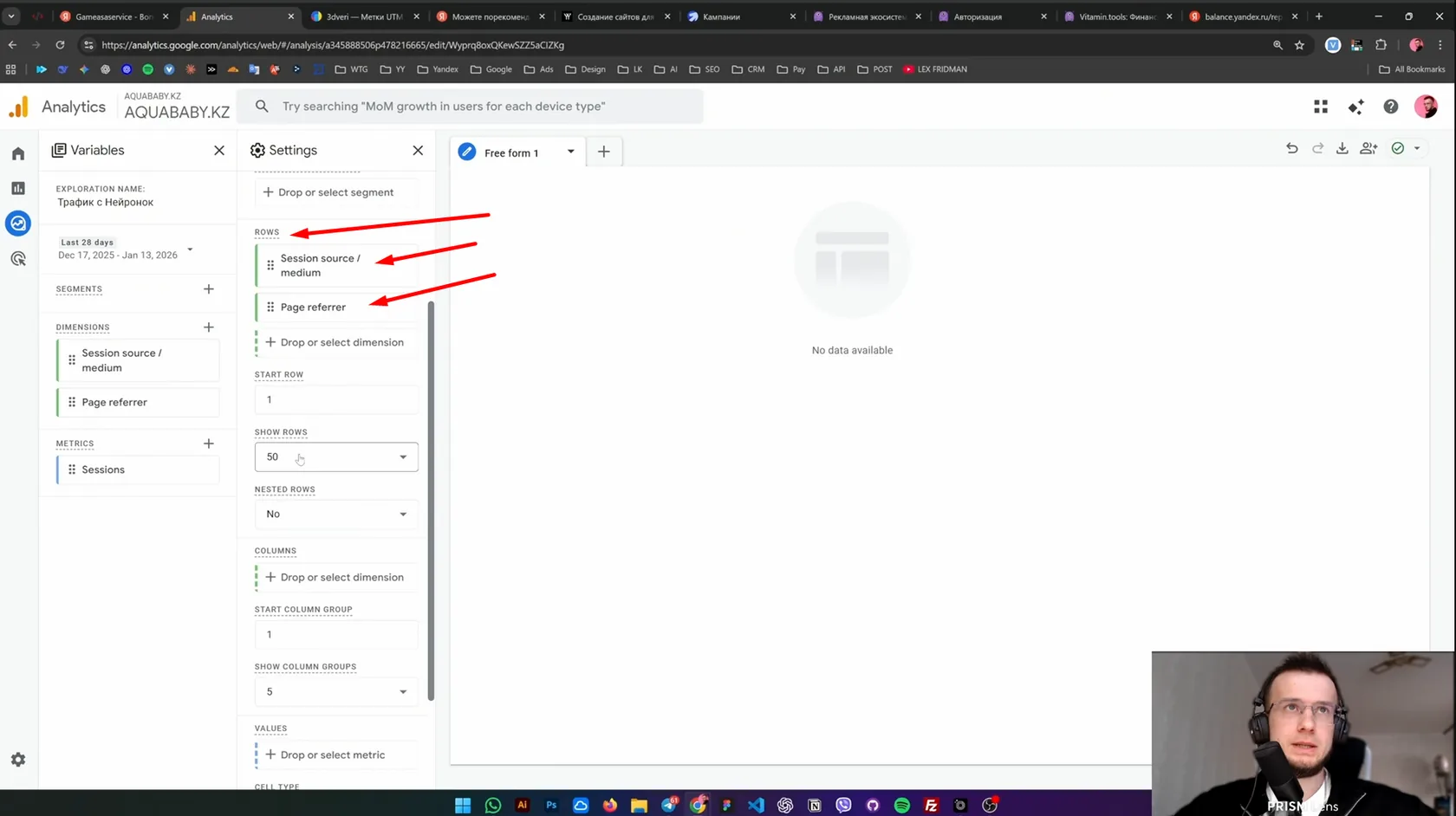
In Values, pick Sessions:
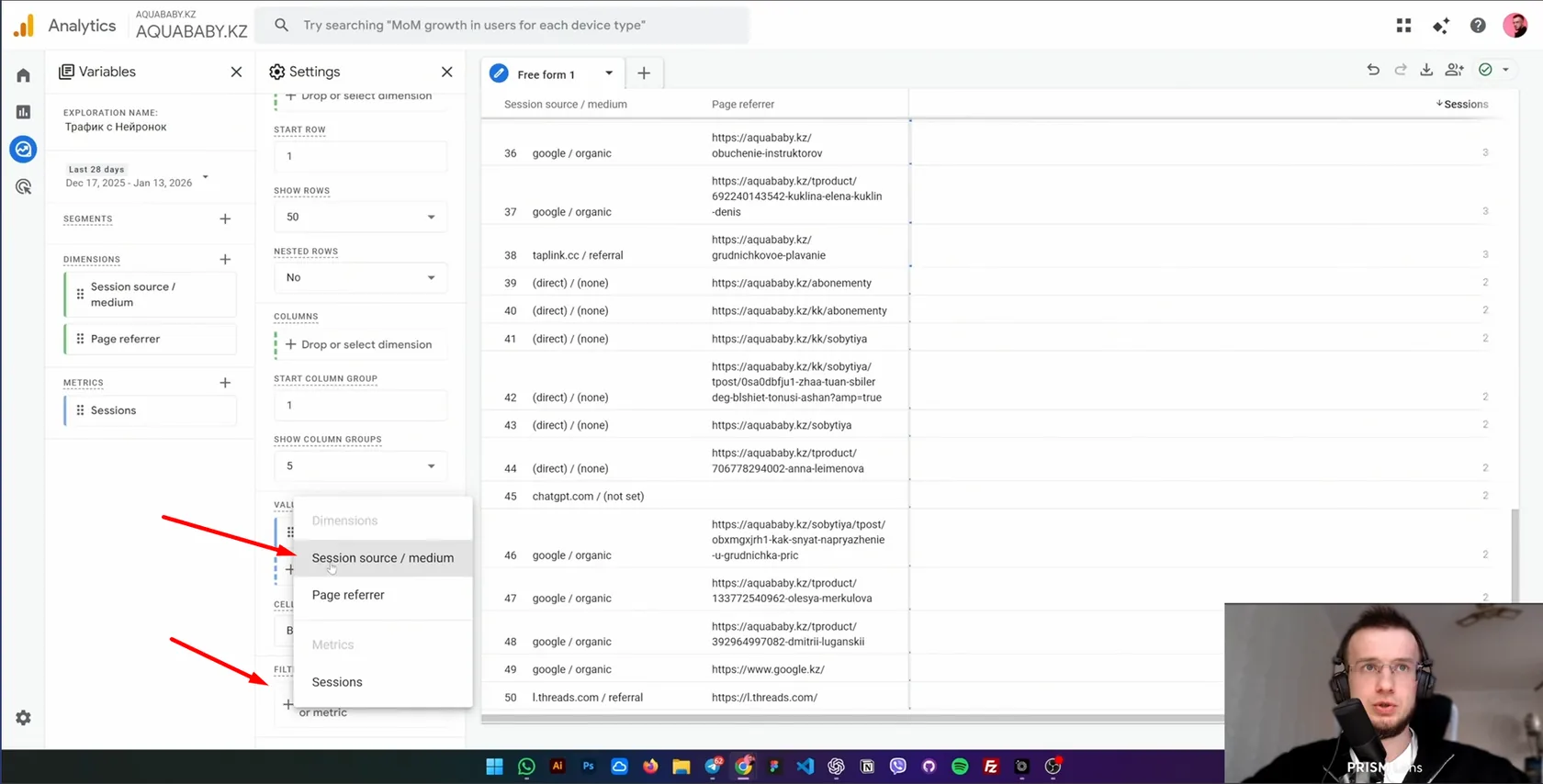
Filtering by Session source / medium
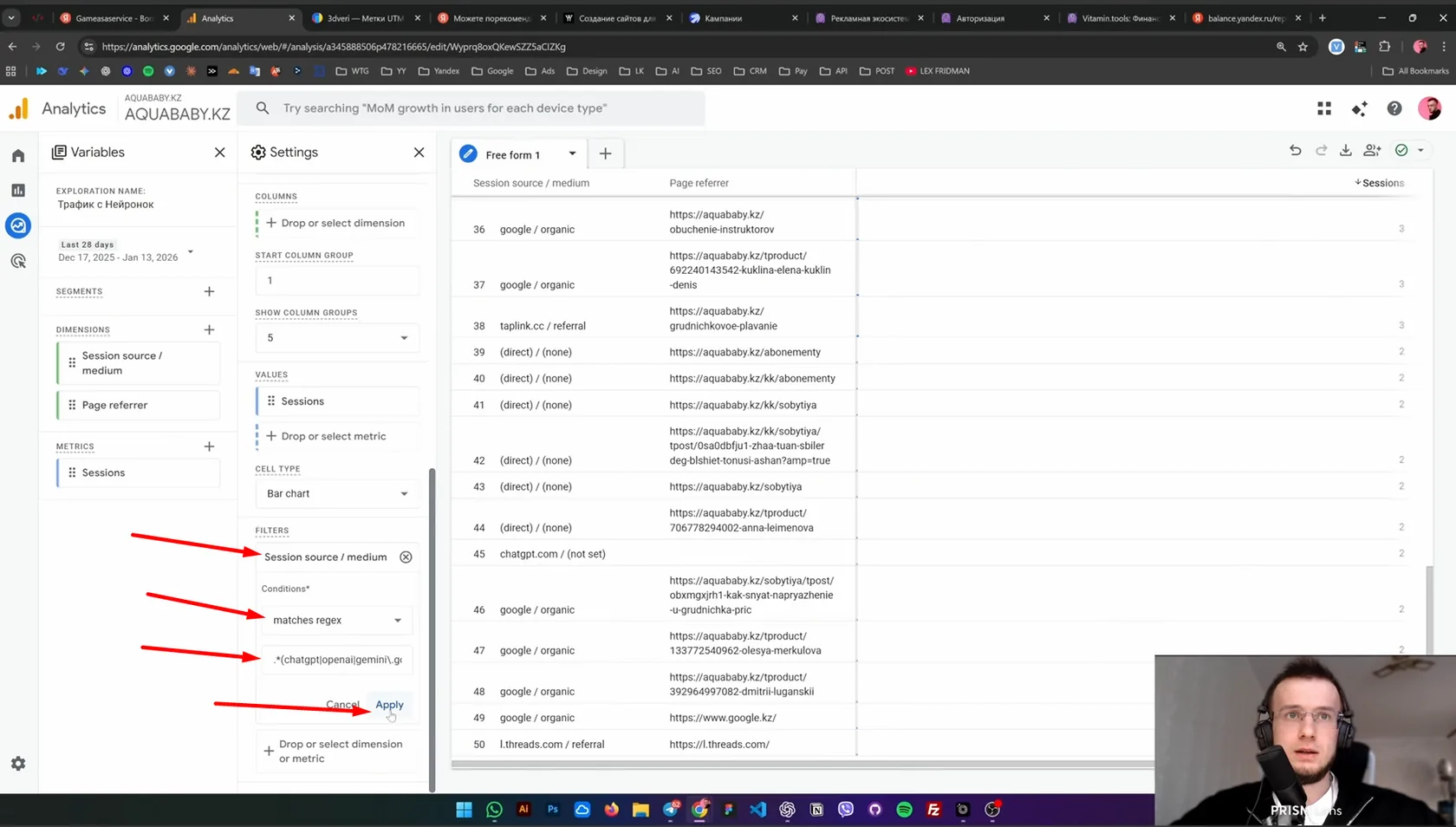
Feel free to use my regular expression:
.*(chatgpt|openai|gemini\.google|perplexity|copilot\.microsoft|qwen|claude|anthropic|mistral|deepseek|you\.com|poe\.com|character\.ai|alice\.yandex).*
Summary
To track traffic from AI properly:
- Metrica: check referrers and filter them with a regular expression;
- Metrica: make up for lost data with UTM source;
- Webmaster: see where Yandex shows you in AI answers and Alice;
- GA4 Explore: build your own report combining source/medium and page referrer.